Database Highlights & Trials – St. Thomas Libraries Blog - Page 23
Browsing Category

Database Highlights & Trials

Database Highlights & Trials

To the young man looking for Euripides plays

I just helped a student find plays by Euripides in the OSF stacks.  He had the correct call number (that he got from CLICnet) and was close to where he needed to be when I saw him.  I mentioned if he was looking for a summary or overview of the work, criticism, or author info that he should use Literature Criticism Online.  LCO is absolutely bursting at the seams with literary info.  Here’s what’s covered:

    Contemporary Literary Criticism
    Twentieth-Century Literary Criticism
    Nineteenth-Century Literature Criticism
    Shakespeare Criticism
    Literature Criticism 1400-1800
    Classical and Medieval Literature Criticism
    Poetry Criticism
    Short Story Criticism
    Drama Criticism
    Children’s Literature Review

So if you are taking an English class that requires you to better understand a work of literature, get biographical information on an author, playwright or poet,  find criticism on a work or get a handle on literary themes then LCO is your one-stop shop.  It just couldn’t get any easier.  Or could it?

Maybe you’d rather watch than read. If so, check out Films on Demand where you can watch Medea performed at the Kennedy Center in 1982.  There you can also find a lot of information on Euripides, classical drama, mythology, etc. etc. etc.  It’s pretty cool.
Database Highlights & Trials, News & Events, Uncategorized

UST Libraries to cancel subscription to Kompass

The libraries first subscribed to Kompass in 2004 and at the time it was the only resource that provided international company and industry information. Since that time the libraries have acquired other databases that provide the same type of information, most notably Euromonitor Global Market Information Database and OneSource Global Business Browserwhich contains data from Kompass and other international company sources. While Kompass is not an expensive product, especially compared to other business databases, the business librarians felt the information in Kompass is readily available in other sources and the money needed to pay for Kompass would be better used on other products.

Therefore, we will be cancelling the title and it will disappear on March 31st. Please send your comments and concerns to Andrea Koeppe 2-4674 or arhudson@stthomas.edu

Database Highlights & Trials

A whole new world

The events of the past few months in northern Africa have been remarkable, world-changing, revolutionary.  A lot of the news outlets try to give background info on events and circumstances that have led to the great upheavals, but if you prefer a more systematic approach to the how we got here, here are a few library resources that can help.

New Encyclopedia of Africa – if you need to understand modern Africa, this is going to give you long articles on Egypt, Tunisia and Sudan.

Europa World – lengthy country background info,  plus a bit of a timeline of what’s going on in the region.  Sadly, the calendar of political events in the Middle East and North Africa ends in September 2010.  Wow – how much has changed in these past few months!

Columbia Gazetteer of the World – chooses Egypt as its Place in the News and features a concise article.

My old standby the Encyclopedia Britannica has an up-to-date article on Hosni Mubarak.  In fact, they’ve got it updated through what he’s doing today.

Encyclopedia of Violence, Peace, & Conflict – hats off to the demonstrators in Egypt that have kept this a mostly non-violent protest.

Routledge handbook of religion and politics – includes an article on Islamism in contemporary Egypt.

What’s great about a number of these resources is that they keep linking to more and related info.

Database Highlights & Trials

What’s New… Access to databases

The last big change in the libraries over J-term was the way we deliver databases to you.  We have always had an alphabetical list of resources and a subject list, in addition to having databases on all of the Research Guides.  But we’ve redesigned and improved the alpha and subject pages with plenty of student input.

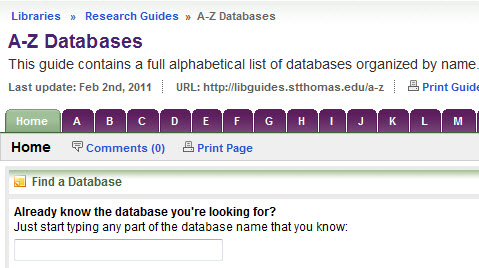
The new alpha page offers not only the alphabet in big purple tabs across the top, but it also now features a way to look up a database if you know the name.

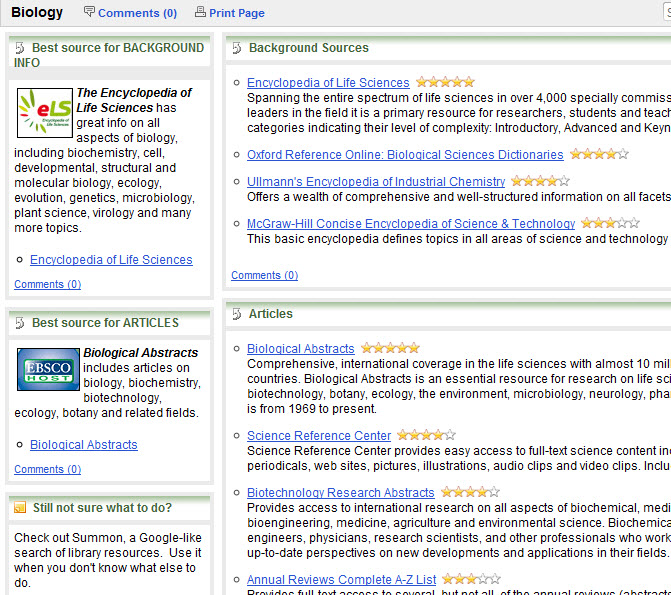
alpha listObviously, the subject page has databases arranged by subject.  If you’re doing work for, say, biology, just click the biology link and get recommended resources and really clear instructions on what to use when.

subject list

For every subject we give you a list of databases that give background information (think Wikipedia-type of info but from library databases, not from the free web).  Of those, we pick one that is especially good for that topic and it’s featured on the left.  Same goes for finding articles.  We give you a list and recommend the best place to find articles on that topic (featured in the left column).  For every page there is a way to contact the librarian who is a specialist in that particular field and links to his/her Research Guides.   And as an added bonus, there is usually section of specialized resources in that given field.  For example, on the English page we have a special section on criticism and where to find it.  You get the idea.

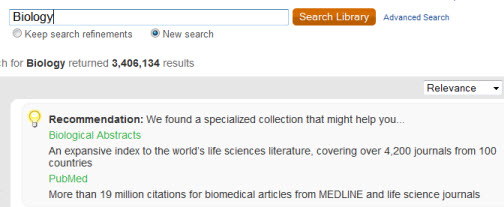
Another way to discover which databases we have is through Summon.  I’ve spent a lot of time talking about Summon in this blog, but it recently added a new feature where you can type in the name of the database and it’ll recommend it to you (i.e. PsycINFO).  If you don’t know the name but know you want a database in biology, just type biology and it’ll recommend databases:

summondb
Finally, you can search any database name in the library search and we’ll whisk you right over to the resource you’re looking for – no choosing, no clicking.  Just type in the title and go. The library search is on the very bottom of the library homepage.

Even with all these avenues to find stuff, always remember if you get stuck don’t hesitate to ask us.  We’re here for you.  We buy this stuff for you.  We ask you the best ways to present it.  And we’re thrilled to be able to help you with your research.

Database Highlights & Trials

What’s new… PsycINFO

Well, technically PsycINFO itself is not new but the look of it is.  Over J-Term we changed PsycINFO platforms from this

csato this

psycinfoAPA
You’ll find the new version of PsycINFO includes all the same content, it’s just got a different look.  So if you’re looking up articles on any topic in psychology [like phobias, specifically  the fear of clowns or the fear of mimes (technically not found in PsycINFO – hey, there’s an original dissertation topic for those of you who are still looking)] and you’ve used PsycINFO before, you’ll note the changes.   If you have any questions or comments on the new interface, send ’em to Merrie Davidson.  She’ll help you out.

Database Highlights & Trials

What’s new… Proquest

While you were away in January skiing in Switzerland or snorkeling in Aruba or slaving away 50 hours a week at your dad’s company to pay for next semester, we at the library have been coming up with a lot of new things.  I’ll spend the next few blog posts revealing the new and the fancy.

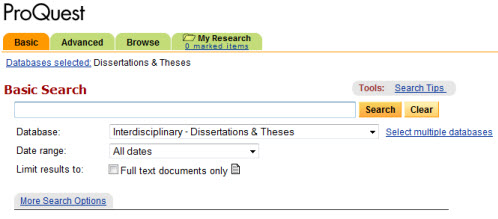
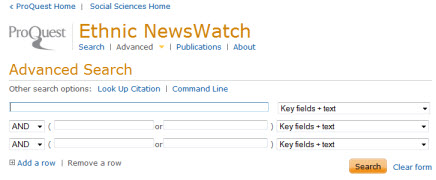
First and foremost was a change of look and function in over 30 library databases.  You may be familiar with the brand Proquest.  It used to look like this:  proquest

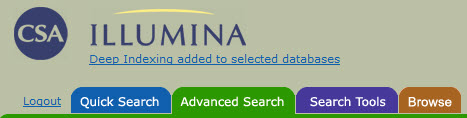
Or maybe you were used to using CSA which looked like this:

csa

But now if you do a search in

They will now look like this:

proquest2

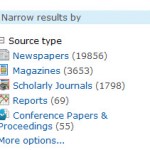
The big deal isn’t so much how it looks, but how it works.  Now when you get results in a Proquest database, you’lproquest3l be able to do a ton of new things. You can combine several (or all) Proquest databases to search them only once. This would be great for all the sociology/social science databases.  Another thing you can do is limit by source type.  Let’s say you only want scholarly journals on a topic.  Boom!  Limited to only scholarly journals with the click of a mouse.  Some of the best new features come in the form of MY RESEARCH.

No sign-up needed.

Without an account you can…

  • View your selected items
  • Create a bibliography
  • View and combine your recent searches
  • Print, email and save items
  • Export to a citation management tool

Learn more…

Save it for later.

With an account you can…

  • Save articles, images and searches
  • Organize your research with folders
  • Add tags and create lists to share
  • Set ProQuest preferences
  • Manage your alerts and RSS feeds

Sign in or Create an account

Hey RefWorks fans!

Connecting accounts is easy…

Add items to RefWorks with a single click. You can connect your account to My Research during sign-up or any time after. When you do, have your RefWorks login information ready.

Learn more…

That’s the first of 3 installments of what’s new with library databases.  I’m sure you’re just on the EDGE of your seat waiting to hear what else we did.

Database Highlights & Trials

CRC Handbook of Chemistry & Physics

Marianne Hageman writes:

CRC Handbook of Chemistry and Physics contains the most frequently used data in science, including the periodic table of the elements, basic constants and units, thermodynamic and spectroscopic data; electric, magnetic, thermal and structural properties of solids, key data from nuclear science, astronomy and geophysics; and up-to-date health and safety information.

We are offering this as a trial for the next month until we can set it up fully in February.  In the meantime, you’ll be required to use a username/password for access.  All members of the UST community can get access during the trial.  Trial ends 1/20/11.

Database Highlights & Trials, Libraries

Frankie Says Relax

frankiesaysrelaxWe here at the library have many ways to relax and reduce stress during finals. We have tools that will help speed your research, services to help you relax, and people just waiting to help you when you get stuck. Plus, we’ve extended our hours so you can spend late tonight and late tomorrow safe and snug in the library while the snow (allegedly) rages outside.  I’m either in denial about the snow or have lost faith in our weather forecasters. I’m not sure which one it is – probably a little of both.

summon smallWhen you don’t know where to start your research, I highly recommend  Summon. Summon allows you to search millions of articles (newspaper, journal, or magazine) and CLICnet all at once – over 200,000,000 resources in a single search box. I dare you not to find something on your topic. More about Summon.

refworksRefWorks builds bibliographies for you. So if you were told to create a bibliography for your final paper in the APA format and have no clue what that means, no worries. Dump the citations into RefWorks, choose APA and dunzo (ok, check it first to make sure the system did what it was supposed to do). My point is, RefWorks helps build bibliographies with ease.

coffee bene Give yourself a break and relax with some calming tea from Cafe Bene. Or wire yourself up for a marathon session with espresso. Either way, Bene’s got you covered. Hours | Menu
If you spend more than 5 minutes looking for info on your topic, stop what you’re doing and IM or SMS a librarian – Text send USTLibraries <your message here> to 246246. We cn save u tym.

Do as Frankie says and no one will get hurt.

Database Highlights & Trials

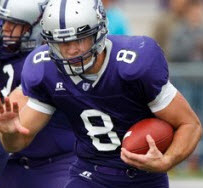
Go Tommies Football!

footballBig game on Saturday and we here at the library want to give a big GO TOMMIES! to all the players and fans.  I would love to be at the game cheering on the team, but the weather is going to prevent me from doing this.  I’m more of a fair-to-moderate weather fan, literally.  My sports viewing is weather-dependent.  But I’ll be listening to the game on WCCO and cheering you on in spirit.

And in keeping with the spirit of this blog – database highlights – I’m gonna take this opportunity to mention that we have some great resources that can help if you’re interested in sports medicine, sports psychology or sports management.

Database Highlights & Trials

Walter Cronkite, Apache Kid and Scooby Doo

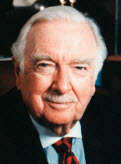
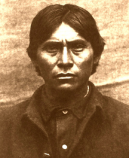
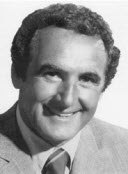
What do Walter Cronkite, Apache Kid, and Joseph Barbera have in common?

cronkite apache kid barbera

First, who’s who.   Walter Cronkite reported news.  He represents something or another to Baby Boomers.  Apache Kid scouted for the U.S. Army and later became a symbol of Apache resistance.  Joseph Barbera was 1/2 of the genius team Hanna-Barbera, the very folks behind some of the most loved cartoon characters including Fred Flintstone, George Jetson, Papa Smurf and Scooby Doo.

But back to the question… what connects all of these men?

Fact: all are men.

Fact: all are dead.

Fact: all had mothers.

Fact: none of them were members of the Hair Club for Men.

That last one I just threw in to see if you were paying attention.  Give up?  They are all recent additions to the American National Biography.

Other great biography sources include: