St. Thomas Libraries Blog - News, Events and Musings from the UST Libraries - Page 80
Database Highlights & Trials

A whole new world

The events of the past few months in northern Africa have been remarkable, world-changing, revolutionary.  A lot of the news outlets try to give background info on events and circumstances that have led to the great upheavals, but if you prefer a more systematic approach to the how we got here, here are a few library resources that can help.

New Encyclopedia of Africa – if you need to understand modern Africa, this is going to give you long articles on Egypt, Tunisia and Sudan.

Europa World – lengthy country background info,  plus a bit of a timeline of what’s going on in the region.  Sadly, the calendar of political events in the Middle East and North Africa ends in September 2010.  Wow – how much has changed in these past few months!

Columbia Gazetteer of the World – chooses Egypt as its Place in the News and features a concise article.

My old standby the Encyclopedia Britannica has an up-to-date article on Hosni Mubarak.  In fact, they’ve got it updated through what he’s doing today.

Encyclopedia of Violence, Peace, & Conflict – hats off to the demonstrators in Egypt that have kept this a mostly non-violent protest.

Routledge handbook of religion and politics – includes an article on Islamism in contemporary Egypt.

What’s great about a number of these resources is that they keep linking to more and related info.

News & Events, O'Shaughnessy-Frey Library

Student posters honor Black History Month in O’Shaughnessy-Frey Library

The O’Shaughnessy-Frey Library will display Black History Month posters starting Monday, Feb. 14.

The posters were prepared by students in Dr. Anne Klejment’s HIST 116, African American History: Global Perspective classes. The posters represent student work from several semesters and will be displayed through the end of the month on a rotating basis on the library’s first floor.

Please be sure to stop by and take time to visit this poster exhibit throughout the month of February.

News & Events, O'Shaughnessy-Frey Library

Mobile web app released by UST Libraries

Taken from Bulletin Today, February 10, 2011:

UST_mobile_appEarlier this month, UST Libraries released a beta version of its mobile Web app. It is believed to be the first of its kind on campus, and UST Libraries invites feedback and ideas for new features, which links to a survey that can be taken after trying the site on your mobile.

Get quick access to library hours, locations, maps and phone numbers – all easily linked so you can, among other uses:

  • Call directly from your mobile device
  • IM and SMS text for research help
  • Use mobile versions of UST Libraries’ Summon search engine and Research Guides
  • Check for open computers in UST library computer labs

The app was built using the JQTouch framework, which allows a Web page to appear and act like a native iPhone app while functioning equally or nearly as well in all WebKit-enabled browsers – including Android phones, recent versions of the Blackberry, and Symbian-based phones.

View St. Thomas’ mobile site here or visit the UST Libraries home page on your mobile device. If the phone is supported, you will be redirected to the mobile site automatically without needing to download or install anything.

Also, add the Libraries’ mobile page to your home screen to view the custom icon, startup screen and full-screen mode.

Libraries, News & Events

One Year Anniversary Party, Feb 10, and you are invited!

In the February 8 issue of Bulletin Today, Dan Gjelten, Director, UST Libraries writes:

 “I consider coffee to be a religious discipline of sorts: it begins my day, like prayer does for some; is a sacrament at every familial function, friendly gathering, and every celebratory or solemn occasion. If I venture out for a walk in a strange city, the quest for it directs me along my way. I offer it to every soul who enters my house, and likewise I would never refuse its offer without due cause, any more than I would refuse someone’s handshake. It’s not so much a substance, I mean, as a way of life … a true habit of my being.”

~Musician Joe Henry

*  *  *

The UST Libraries and Coffee Bené invite you to celebrate with us the first year of our partnership in O’Shaughnessy-Frey Library. On Feb. 10, 2010, Coffee Bené sold its first cup of coffee in its new location in the OSF Library. Since that day, the shop has sold 14,772 brewed coffees, 5,631 lattes, 8,417 mochas, 4,158 muffins and 2,000 cookies. (And we are pretty sure that the library director is responsible for the purchase of only two or three thousand of the brewed coffees and a few hundred cookies!) 

The impact of the coffee shop on the use of the library has been that we’ve had the busiest months in the history of the library at St. Thomas. The impact on student and faculty happiness is immeasurable, except by the many smiles we see every day in the vicinity of Coffee Bené! Perhaps we are all smarter because of the great freshly ground, freshly brewed coffee that is available in the library!

 Come celebrate coffee beginning at 11 a.m. Thursday, Feb. 10.

Look for Ericka and Kellie at the greeting table – they’ll be giving away reusable cup sleeves to the first 100 guests, free cookies, coffee coupons, and a chance to win one of five ceramic mugs especially designed for the first birthday party. “Tommie” and “Coffee Cup” mascots will be on hand to greet students as they study on the various floors between 1 and 2 p.m.  

Plan to hear the Show’d Up Band at noon in the O’Shaughnessy Roomfeaturing a very special guest artist! Refreshments, too, of course.

Thank you for your patronage during this last year and our best to you as you begin this new semester.

coffee_bene_logo

This article was posted at 12:01 a.m. Tuesday, Feb. 8, 2011 and is filed under University News.

Database Highlights & Trials

What’s New… Access to databases

The last big change in the libraries over J-term was the way we deliver databases to you.  We have always had an alphabetical list of resources and a subject list, in addition to having databases on all of the Research Guides.  But we’ve redesigned and improved the alpha and subject pages with plenty of student input.

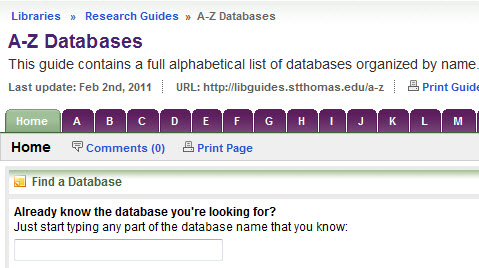
The new alpha page offers not only the alphabet in big purple tabs across the top, but it also now features a way to look up a database if you know the name.

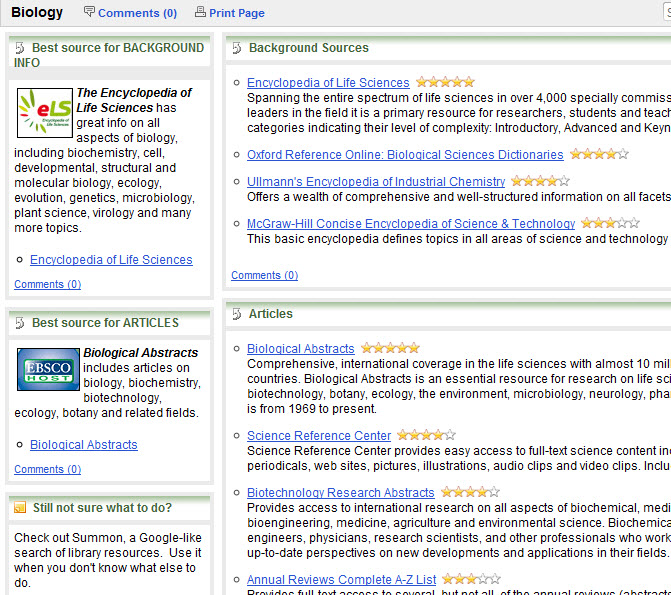
alpha listObviously, the subject page has databases arranged by subject.  If you’re doing work for, say, biology, just click the biology link and get recommended resources and really clear instructions on what to use when.

subject list

For every subject we give you a list of databases that give background information (think Wikipedia-type of info but from library databases, not from the free web).  Of those, we pick one that is especially good for that topic and it’s featured on the left.  Same goes for finding articles.  We give you a list and recommend the best place to find articles on that topic (featured in the left column).  For every page there is a way to contact the librarian who is a specialist in that particular field and links to his/her Research Guides.   And as an added bonus, there is usually section of specialized resources in that given field.  For example, on the English page we have a special section on criticism and where to find it.  You get the idea.

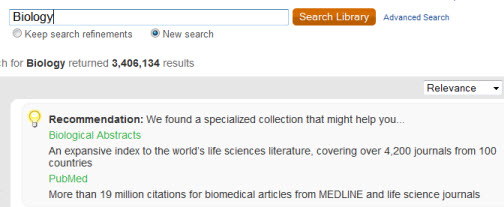
Another way to discover which databases we have is through Summon.  I’ve spent a lot of time talking about Summon in this blog, but it recently added a new feature where you can type in the name of the database and it’ll recommend it to you (i.e. PsycINFO).  If you don’t know the name but know you want a database in biology, just type biology and it’ll recommend databases:

summondb
Finally, you can search any database name in the library search and we’ll whisk you right over to the resource you’re looking for – no choosing, no clicking.  Just type in the title and go. The library search is on the very bottom of the library homepage.

Even with all these avenues to find stuff, always remember if you get stuck don’t hesitate to ask us.  We’re here for you.  We buy this stuff for you.  We ask you the best ways to present it.  And we’re thrilled to be able to help you with your research.

News & Events

Tax Forms?

The Libraries does not carry hard copy tax forms for you to fill out (some public libraries provide these, you can check with your local public library).

We do have a page linking to federal and state tax forms online for your convenience.

Note that we cannot assist you in filling out or filing tax forms, nor can we provide tax advice.

Database Highlights & Trials

What’s new… PsycINFO

Well, technically PsycINFO itself is not new but the look of it is.  Over J-Term we changed PsycINFO platforms from this

csato this

psycinfoAPA
You’ll find the new version of PsycINFO includes all the same content, it’s just got a different look.  So if you’re looking up articles on any topic in psychology [like phobias, specifically  the fear of clowns or the fear of mimes (technically not found in PsycINFO – hey, there’s an original dissertation topic for those of you who are still looking)] and you’ve used PsycINFO before, you’ll note the changes.   If you have any questions or comments on the new interface, send ’em to Merrie Davidson.  She’ll help you out.

Database Highlights & Trials

What’s new… Proquest

While you were away in January skiing in Switzerland or snorkeling in Aruba or slaving away 50 hours a week at your dad’s company to pay for next semester, we at the library have been coming up with a lot of new things.  I’ll spend the next few blog posts revealing the new and the fancy.

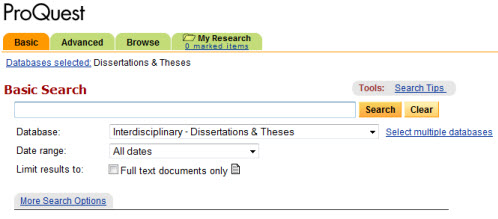
First and foremost was a change of look and function in over 30 library databases.  You may be familiar with the brand Proquest.  It used to look like this:  proquest

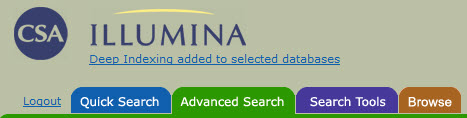
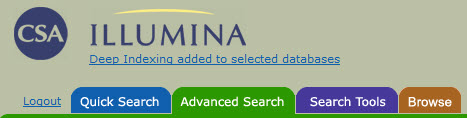
Or maybe you were used to using CSA which looked like this:

csa

But now if you do a search in

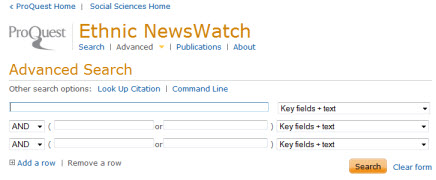
They will now look like this:

proquest2

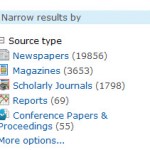
The big deal isn’t so much how it looks, but how it works.  Now when you get results in a Proquest database, you’lproquest3l be able to do a ton of new things. You can combine several (or all) Proquest databases to search them only once. This would be great for all the sociology/social science databases.  Another thing you can do is limit by source type.  Let’s say you only want scholarly journals on a topic.  Boom!  Limited to only scholarly journals with the click of a mouse.  Some of the best new features come in the form of MY RESEARCH.

No sign-up needed.

Without an account you can…

  • View your selected items
  • Create a bibliography
  • View and combine your recent searches
  • Print, email and save items
  • Export to a citation management tool

Learn more…

Save it for later.

With an account you can…

  • Save articles, images and searches
  • Organize your research with folders
  • Add tags and create lists to share
  • Set ProQuest preferences
  • Manage your alerts and RSS feeds

Sign in or Create an account

Hey RefWorks fans!

Connecting accounts is easy…

Add items to RefWorks with a single click. You can connect your account to My Research during sign-up or any time after. When you do, have your RefWorks login information ready.

Learn more…

That’s the first of 3 installments of what’s new with library databases.  I’m sure you’re just on the EDGE of your seat waiting to hear what else we did.

News & Events, O'Shaughnessy-Frey Library

Powering up @ the Library

Ever bring your laptop to the library and run out of juice? Ever have to sit on the floor, on top of a bookshelf, or in the bathroom to find an outlet? Ever run the gauntlet of power cords snaking out in all directions across the floor? Well, help is on the way:

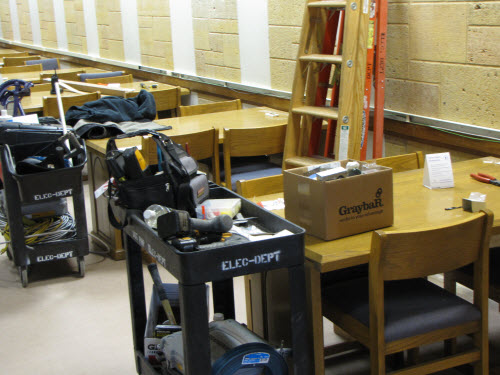
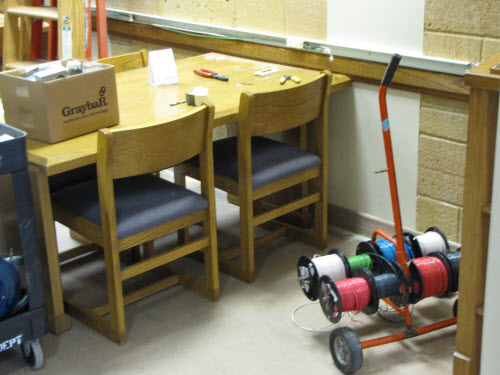
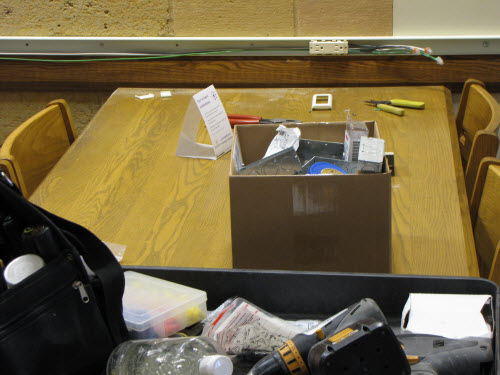
As I write this, workers are installing new outlet strips on the 2-4th floors (and the lower level floors) of the Library: many of the study tables will now have their own power outlets.  This work will be done for Spring semester, and it should help the situation significantly.

News & Events

Easy online form for adding library reserve materials

Taken from January-24-2011 Bulletin Today

Spring semester is just around the corner, and putting course materials on reserve at the university’s libraries has never been easier. Faculty can now add library reserve materials using an online form.

This form is intended for UST Libraries-owned materials; however, faculty also may fill out the form, print it and submit it with personal reserve items brought to the library.

Complete course reserves procedures and contact information for reserves coordinators can be found on the Libraries Course Reserves Web page.