Those of you looking up business information might feel a bit frustrated these days. Access to two of our business research databases, Advertising Redbooks and Business Decisions is spotty, at best. But there is access and a work around for each of them.
First off, both are best used in Internet Explorer.
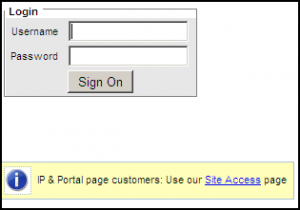
For Advertising Redbooks you might get asked by Redbooks for a username and password. There isn’t one and your UST username and password will not work in this case. But if you click the link, “IP & Portal page customers: Use our Site Access page” you often get access (not always, but… give it a go).
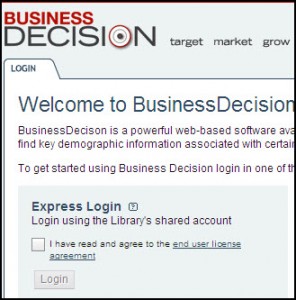
Close your browser (I know… hassle) and return to the page where you selected Business Decisions and click it again Often you often get through this way. It seems as though a cookie needs to get planted the first time and then the site works the second time. You should see this and check the box to agree to the license:
Currently, Advertising Redbooks is working best through Internet Explorer and having a few difficulties in other browsers. If you are off campus and log in using your UST username/password, you might get another request for a username/password. There isn’t one. But there’s a small link under the username/password that says “Use our site access page.” If you click that in IE, you generally get in.
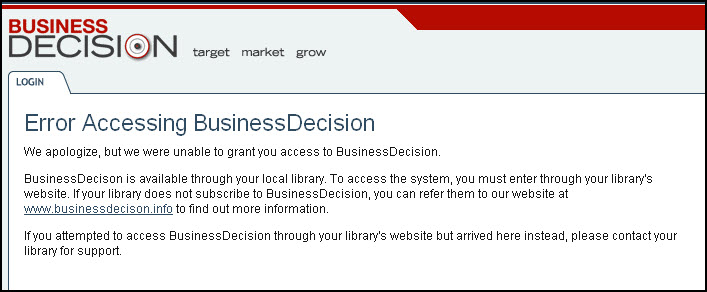
Sometimes it helps to just click the link, get denied, and try again. Strangely enough, the TRY AGAIN option has been working well for us in Firefox.
Library staff and friends across campus eagerly await the completion of the new coffee shop on the first floor of the O’Shaughnessy-Frey Library. We hope you enjoy taking a look at some slides showing some of the changes already made to the space. We won’t update with any more new photos though until we open, you’ll just have to be curious! Opening Day is Wednesday, February 10 – coffee will be ready for you at 7:30am! See you soon!
An exhibit of the work of local children’s book illustrators will run from Jan. 22-Feb. 28 at the O’Shaughnessy Education Center lobby gallery. An artist’s reception will be held Sunday Jan. 24 from 2-4 PM. For more information, including links to each artists’ website, can be found in the announcement on the Art History dept. website.
I would like it to go on record that Nathan is – not only – knowledgeable regarding the policies and procedures of the Circulation and Reserves Departments, but he continuously shares his expertise and does it in a highly professional manner. He is always helpful and ready to give good advice and I appreciate his work ethic!! Judith
Turn to Gartner, a UST Libraries source for reports and analysis of the technology industry. In mid-December Gartner released a report, “Magic Quadrant for Mobile Enterprise Application Platforms.”
To find this report, log on to Gartner, search for “tablet,” and select the report from the list of results. Remember to capitalize your first and last names when logging in.
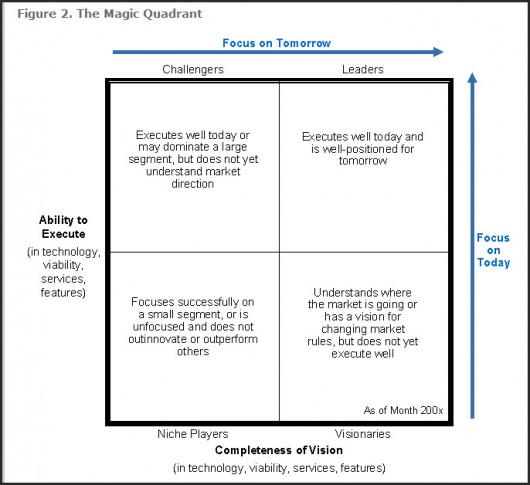
So what’s a Magic Quadrant? Essentially it’s a modified X Y graph on which are plotted the various vendors in a market relative to one another. Strategists will use this tool to determine what kind of technology to invest in, or which company to partner with for a particular venture. Business development will use this information to identify corporate prospects. (And of course students might use this information to target companies to work for.)
An illustration of a Magic Quadrant is below. In the case of tablet computers, companies like IBM, Apple, RIM, Microsoft, Oracle, and SAP will appear as points on a graph indicating their relative market position.
As you can see in this YouTube video, not everyone likes the Magic Quadrant. The questioner in the video says that it’s the most “reviled” in the industry. Gideon Gartner, the founder of Gartner Group, admits that it is “overused, misused, and abused.” Which only attests to the degree to which the Magic Quadrant has become embedded in the business of technology.
Contrary to appearances, Mr Gartner is not attacking anyone in this clip, though it may appear otherwise. It’s a Q&A session. Not daytime TV.
As of 5:15 on 1/5/10 the following problem has been resolved.
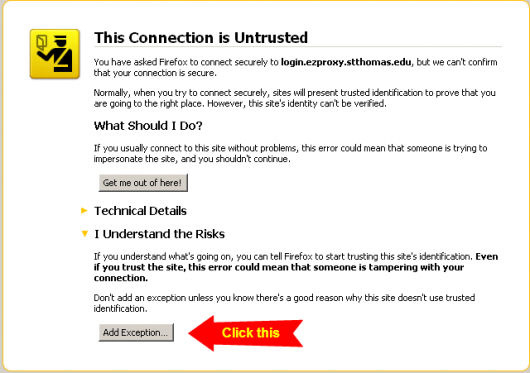
We are currently having problems with the provider of our security certificates. If you are using the Firefox browser and try to browse through to one of our subscription databases you will see an error message.
To get around the problem in the meantime you can either use the Internet Explorer browser or click “I Understand the Risks” then the “Add Exception” button, and then in the popup window “Confirm Security Exception”. This will let you browse through to the databases and will not impact any other websites or other security settings.