St. Thomas Libraries Blog - News, Events and Musings from the UST Libraries - Page 36
Database Highlights & Trials

Trial – Flipster

Two years ago we introduced BrowZine, a powerful, digital browsing experience for academic journals, and now we are trialing a similar product for popular magazines. Until the end of October, you can browse, flip through, and read the more than 650 magazines available on Flipster, a digital newsstand for anytime access on your computer or mobile device. Magazines in Flipster have true-to-life layout with all the full color pictures and advertisements. Flipster Mags
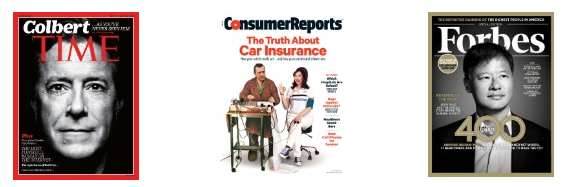
Flipster allows you to browse the latest issues of high quality digital versions of popular magazines, courtesy of the library. As I said, our current trial includes their entire collection of magazines, but in the event that we subscribe to Flipster, we would have to pick and choose which titles we could offer. It may also be the case that we HAVE to subscribe to certain titles through Flipster, because rumor has it, titles such as Science News may ONLY be available to us in the future through Flipster.

Flipster has many features designed to give readers an easy and fun digital reading experience. You can browse magazines by category as well as perform searches for specific magazines. An online newsstand provides a carousel of the most recent issues, as well as a carousel of all issues allowing for quick access to magazines. The table of contents contains links to quickly go to articles of interest and hotlinks within magazines are hyperlinked, opening in separate tabs when clicked. In addition, there is an option to zoom in and out for better readability.

Please check out this fun resource before our trial ends on October 31. Send any feedback and which magazines you would like to see it host to Meg Manahan <mkmanahan@stthomas.edu>, or leave your comments below.
Libraries, News & Events, O'Shaughnessy-Frey Library

Summit Singers and Cadenza in Concert in the O’Shaughnessy-Frey Library

Cadenza!

Cadenza

 The Summit Singers

The Summit Singers

On Thursday, October 8, beginning at 8pm you are invited to the second floor of the library. Follow the sounds of your friends singing in the “Harry Potter” room.  There will be popular songs, a chance to relax with friends, some refreshments, too.  These two  a cappella groups have received growing notoriety and accolades and are so much fun to hear.  Read on for more information about each of these student groups – Summit Singers and Cadenza.

Libraries, News & Events, O'Shaughnessy-Frey Library

noonartsound: Wilkinson James to perform at noon Oct 6 in the O’Shaughnessy-Frey Library

willkinson james 2

Tuesday, October 6, 2015

Noon to 1pm

O’Shaughnessy Room in the O’Shaughnessy-Frey Library

As explained by our performers, Drs. AJ Scheiber and Liz Wilkinson – members of UST’s English Department, traditional country music was once defined as “three chords and the truth.” It’s a song tradition in which simplicity of expression is valued, and which describes the everyday struggles of ordinary people to put food on the table, to find love, community, and justice, and to go forward with hope despite the frequent scarcity of all these things. It is a song tradition that is realistic and unsentimental, yet capable of artfully expressing longing, love, and pride — sometimes with passion, sometimes with humor.

Folk/honky-tonk duo Wilkinson James will perform some of their original songs in this genre of “three chords and the truth,” and Dr. Shelly Nordtorp-Madson of UST’s Art History Department will present and discuss some visual artifacts that reflect these musical themes and attitudes.   Please plan to join us!

For background on the library’s noonartsound series which began in March of 2013, please read on.


noonartsound presentations are free and open to the public

 light refreshments will be provided

Questions?   Please call Julie Kimlinger at 651-962-5014

Faculty News, News & Events

Faculty Feature: BrowZine – Not Just for Tablets Anymore!

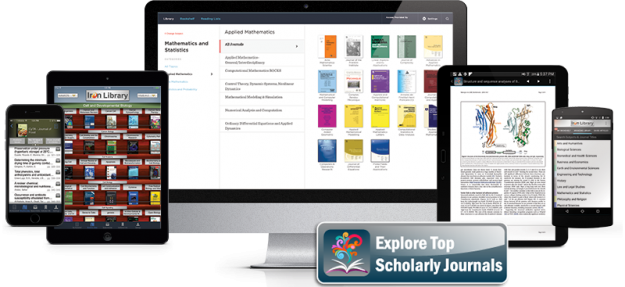
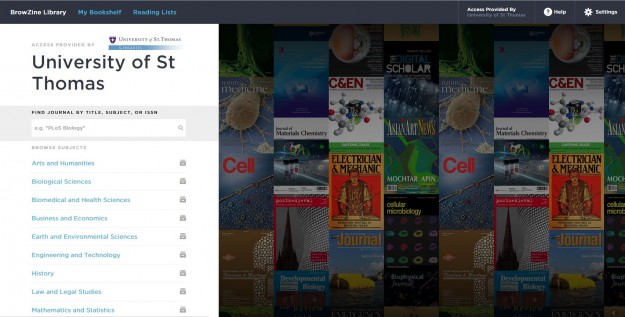
We’re thrilled to announce that as of this summer, our ever-popular BrowZine service is also available on a web platform!

ipads

Two years ago, UST Libraries introduced BrowZine, a service used by hundreds of institutions around the world that allows you to browse, read and follow thousands of the library’s scholarly journals from your Android and iOS mobile devices. Now its features are also available on the web! To learn more, please take a look at this short introductory video. Some current highlights are listed below:

With BrowZine, you can:BZ_AndroidPhone_NoDevice2

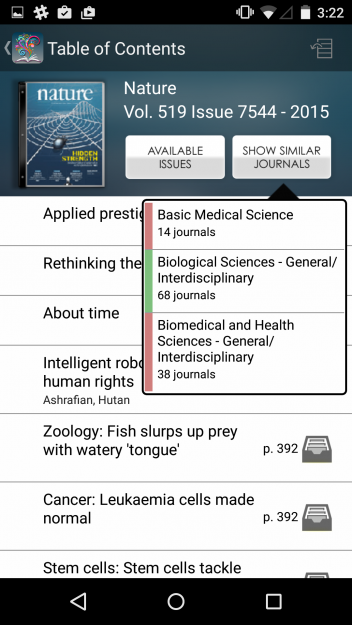
  • Browse and read journals: Browse journals by subject, easily review tables of contents, and download full articles
  • Share your reading list with students and colleagues: Use the durable linking capability of browzine.com to easily link to subject-specific and personalized “shelves” in BrowZine. (Imagine the possibilities of embedding a widget of titles in Blackboard to help students familiarize themselves with journals in their field!)

In the mobile app, you can create a personal experience as well: 

  • Create your own bookshelf: Add journals to your personal bookshelf and be notified when new articles are published
  • Save and export articles: Save articles for off-line reading or export to services such as DropBox, Mendeley, RefWorks, Zotero, Papers and more

More features are on their way as BrowZine.com develops this new interface. You can look forward to additional updates in the months to come!

Start using BrowZine today by visiting browzine.com. On your mobile device, download the free app from the Apple App Store, Google Play Store or Amazon App Store. One simple authentication with your UST credentials is all it takes to create an account and start exploring (and sharing!) our collection in this dynamic new way.

browzine UST

We hope you enjoy using BrowZine. Please send any comments or questions to Laura Hansen.

Database Highlights & Trials

October is TRIALS MONTH

It’s that wonderful time of year again when, twice a year, once in fall semester and again in spring semester, we trial new products. Throughout the month you’ll see a wide variety of products we are considering for purchase. Please stop by every few days, take these resources for a test drive and comment – either directly on the blog or privately to the librarian (email addresses will be provided) if you feel we should add this resource to our collection.

Faculty News, Libraries, News & Events

Faculty Feature: Have you Scheduled a Library Session?

We’ve gotten past the first two weeks of the semester – yay!  From what I’m hearing many of you, it also means that you’re gearing your students up for some research projects.

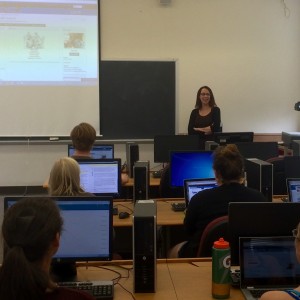
Please remember that we at UST Libraries are here to help out!  Each year we go into an average of 300 different classrooms to be another voice teaching students how to find and evaluate information and to make use of the Library’s services.FullSizeRender

UST Librarians will work with you to make sure the session fits with your needs and expectations. Lower level courses are often geared towards more basic skills, while upper-level class sessions can help your students learn some of the research skills they will need as they prepare for graduate school.

button-request-instruction

Courses can take place in your classroom or one of the library’s computer labs and are taught using a mix of lecture and hands-on activities. We’re always happy to incorporate any library assignments you have for the day, and we can also build a course-specific subject guide (see examples here) that will include all of the resources/ideas covered in class (these can be embedded into Blackboard). After the session, librarians are available for follow-up sessions or individual consultations for both you and your students, as well.

We teach from the American Library Association’s Information Literacy Framework, and here are some ideas of what this involves:

  • The “nuts and bolts” of using the library
    • How to find things on the shelves
    • Navigating the website
    • Setting up RefWorks and ILLiad accounts – and why you’d need them
  • How to construct a research strategy
    • Brainstorming appropriate search terms
    • Forming a research question
    • Determining scope of search (choosing filters such as date, geography, etc)
  • Where to locate information
    • Finding the appropriate (electronic or paper) resources and services
    • Determining the difference between sources
      • Type of research: Primary v. Secondary
      • Audience: Peer-Reviewed/Academic v.  Professional v. Popular
    • Familiarization with databases and journal titles important in their field
  • Evaluate and synthesize the information discovered
    • How to effectively read a research paper
    • Determine the authority of the source
    • Finding an “Academic Conversation” within their area of interest (searching by author, cited references, and more)
    • Building an annotated bibliography
  • Information Ethics
    • How to navigate the world of copyright
    • Importance of citation and some basic how-to’s for a variety of citation styles
    • Effectively using citation management tools

If you have any questions, please let us know.  Otherwise we look forward to working with your classes!

Charles J. Keffer Library, Services

Busy Morning at Keffer

Keffer092115

Keffer092115@

Although these pictures were taken near the end of class, today was the day that approximately twenty EDUC 370 (Language Development, Literacy and Literature) students visited Keffer Library this semester for their first exposure to the Hubbs Children’s Literature collection.  The Children’s Literature Research Guide is available for any students and visitors to explore the resources of this collection.

Faculty News

Faculty Feature: Course Reserves 101

Do you want to…

  1. Create a completely customized reading list for your course?
  2. Reduce costs for students?
  3. Help ensure our great library resources get used?

Then UST Libraries Course Reserves are for you!

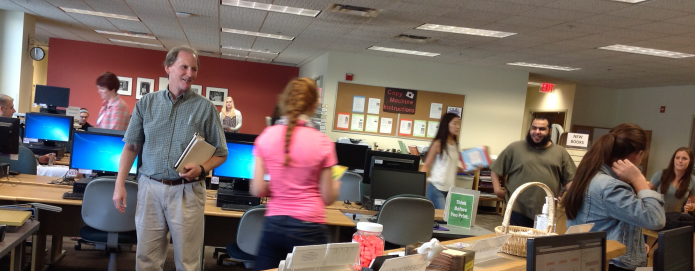
As you finalize your reading lists for this semester, please know it’s never too late to let the library staff help you put items on Course Reserve.  course reservces

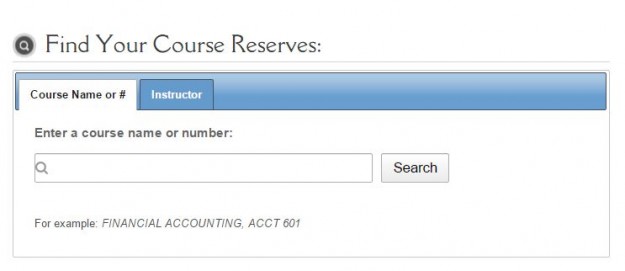
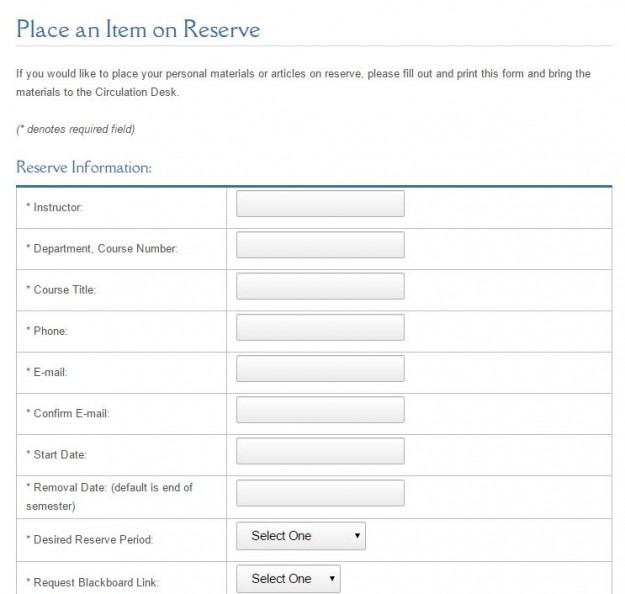
Materials can be placed on physical or electronic reserve, with loan periods ranging from 2 hours to 2 weeks. It all starts by filling out a request form, after which Course Reserve staff will contact you to finalize details. Once the reserve is in place, a course-specific reserves page will be created that can be linked to on your Blackboard page or easily found by course # or instructor’s name within our system.

More details can be found below, or view our Course Reserves webpage to start placing your items on reserve now!

 Print Course Reserves: 

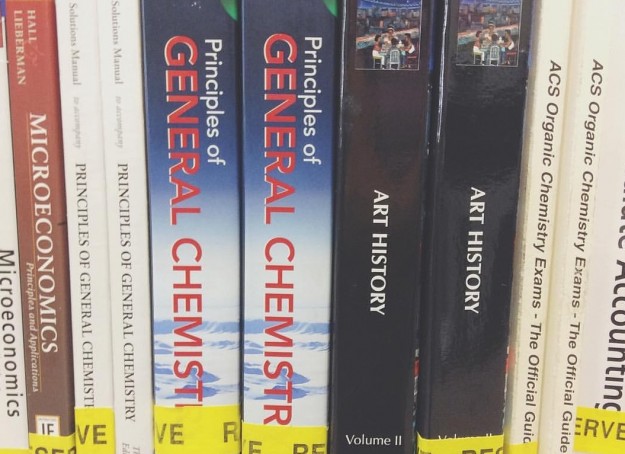
The list of items that can be placed on reserve includes: 12001064_10153564518992270_3791545871161013218_o

  • Books from the UST Libraries collection
  • Personal copies of items (including films, books, textbooks, you name it – items will be returned to you at the end of the semester)
  • Films from the UST Libraries collection
  • Materials from the Music Resource Center

*Note: If an item you’d like to place on reserve is not available at UST Libraries, you are always welcome send a purchase request through your library liaison to acquire an item (this might be an option for later-in-the-semester readings or for next spring at this point; acquiring a book takes time!)

E-Reserves: reserve faculty form

Alternatively, many items may be placed on e-reserve, to be linked to within our reserves system or on your course Blackboard page.  We are always happy to work with you to make sure that the e-reserves comply with copyright law and license restrictions:

  1. In many cases, you can find or create a direct connection (known variously as a durable link, persistent link, DURL, or PURL) to the reading in one of the libraries’ subscription databases, and place that link in your Blackboard course. See IRT’s help pages for more on using Blackboard.
  2. If that is not an option, Course Reserve staff may create an electronic reserve item accessible from the CLICnet catalog. To use this option, you will need to send or bring us a physical or PDF copy of the reading.

Fun Facts: 

  • For Spring Semester 2015 alone, we had 161 Courses use Course Reserves in the OSF Library, putting 461 unique items on reserve (including 141 E-Reserves – articles, book chapters, etc.)
  • In the last 9 days, we’ve had a 124 students check-out materials on Reserves (UST Libraries-wide).

Please let us know if you have any questions or comments; we hope your semester is off to a great start!

This is the first of many “Faculty Feature” blog posts – look for more each Thursday! Please send any future topic ideas to UST Librarian Laura Hansen

Libraries, O'Shaughnessy-Frey Library, Special Collections and Archives

Tales From the Archives : The Computer Dance, 1965

These days, everyone is familiar with using sites like Match.com and E-harmony to find that special someone.  But did you know that St. Thomas was on the forefront of using computers to match up singles?

img353
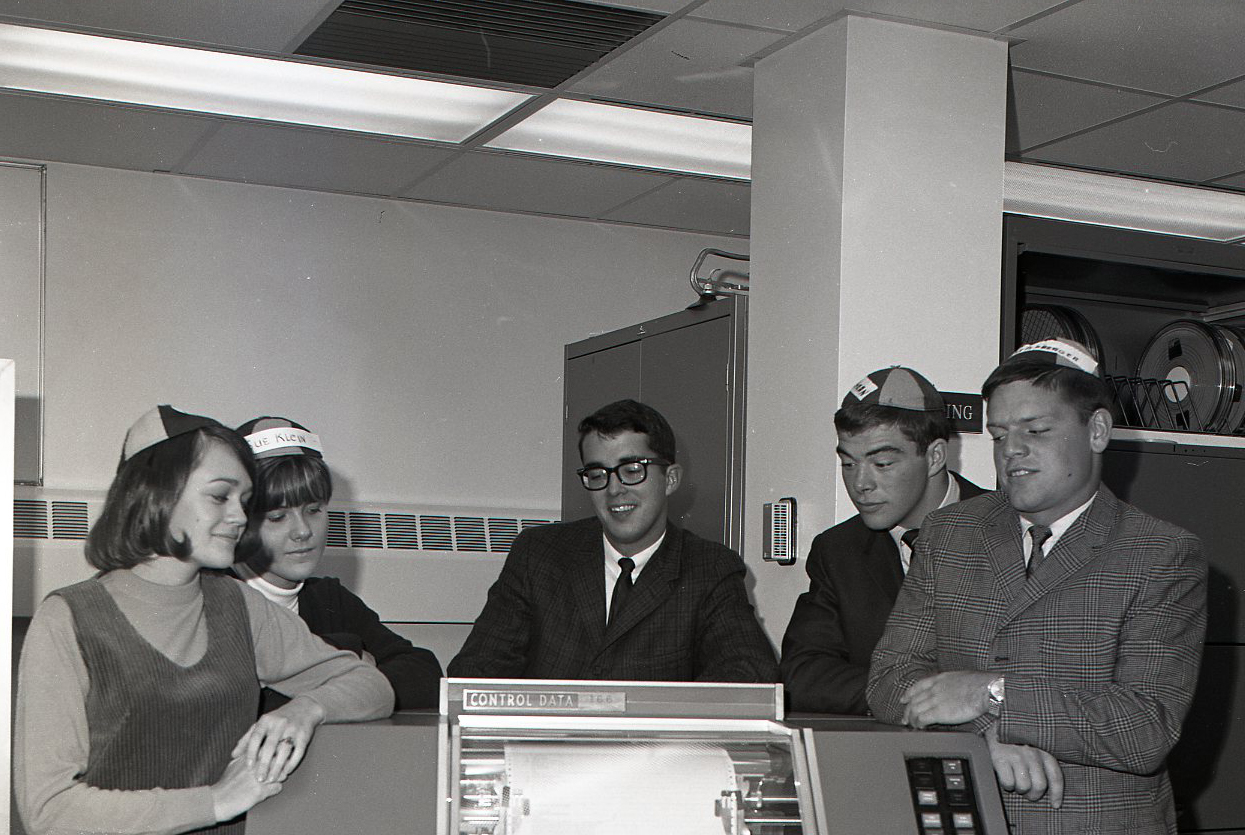
From left to right:  Diane Karner, Sue Klein, Steve Nachtsheim, Bob Cochrane, Joe Kellenberger


During Freshman Week in 1965, St. Thomas sponsored a “Computer Dance.”  Freshman from the College of St. Thomas (an all-male school at the time) were matched with dates from the College of St. Catherine and St. Mary’s College (all-female colleges) based on the students’ answers to a questionnaire.  Responses to the questions were coded onto punch cards and fed through St. Thomas’s IBM computer to make the matches. According to the student newspaper, the Aquin, organizers of the event “consulted three Ph.D.’s and ran trial tests on several students” before perfecting the system.

I wonder if any of these couples are still together today…….

For more interesting stories from St. Thomas’s past, browse issues of the Aquin in the Historic University Publications database.